nursing students practicing on a mannequin

Georgia Gwinnett College produces graduates prepared for life-long, intentional learning. These graduates will continue to discover, acquire, integrate and apply knowledge in ways that enhance both their lives, and the lives of others.

two students working on a project

GGC inspires its graduates to model purposeful, intentional actions that enable them, and those around them, to work together in cohesive and coherent ways toward common goals. Our students lead by example, with both their hearts and their minds, while encouraging others to do the same.

female student drilling into a wood construction project

Georgia Gwinnett College encourages each graduate to live as engaged, contributing citizens, and to serve actively in ways that will result in positive impacts on their local, state, national and international communities.

woman dancing red dress

GGC cultivates the attributes of curiosity, intellectual versatility, imagination and critical thinking to enable graduates to embrace varied perspectives, identify key points of convergence among disparate ideas and situations, and generate creative ideas and innovative solutions.

Visit www.ggc.edu/tuition to view the most current listing of tuition and fees.

Georgia Gwinnett College and the University System of Georgia reserve the right to change any of their policies, rules, regulations, and fees without prior notice to the public. All tuition rates are in addition to student fees.

If you're only interested in receiving the HOPE Scholarship, you can fill out a HOPE Scholarship application through the Georgia Student Finance Application (GSFAPP). The GSFAPP is a one-time only application that does not have to be renewed each year.

Additional Resources
- Types of financial aid 
from StudentAid.gov
- College saving options 
from BigFuture College Board

  1. Your bill can be found by logging into Grizzly Den: Student Self-Service with your MyGGC credentials.
  2. Click "Pay Now - Student Account Center" under the Student Accounts green box.
  3. Click on "View Activity" to view account transactions or click on "Make Payment" to pay.

You also have the option to set up an authorized user such as a parent to view and manage your bill.

  1. Follow previous steps 1 & 2.
  2. Click on "Authorized Users".
  3. Select "Add Authorized User".
  4. Agree to add the authorized user.
  5. You should receive a confirmation email stating that the authorized user has been linked to your account profile.

Authorized users can login through the Authorized User Access for Student Accounts.

Follow these steps to view your financial aid award status through Grizzly Den within Banner:

  1. Log into Grizzly Den and click homepage under the financial aid tile
  2. Click award offer in financial aid section
  3. Select the appropriate aid year
  4. Select resources tab to review conditions for each fund being offered
  5. Scroll to view your award

To accept your loans, follow these steps:

  1. Login to Grizzly Den and click homepage under the financial aid tile
  2. Click award offer in financial aid section
  3. Select the appropriate aid year
  4. Scroll down to view your loan offer
  5. Should you choose to accept less loan than you were offered, be sure to accept enough for two (2) semesters as the amount you indicate will be divided in half.

If this is your first time borrowing a federal loan, there are two additional steps. Log in with your FSA ID (ID and password you created for FAFSA) to the following website to complete the items below. Be sure to include GGC to receive these items:

  1. Terms and Conditions via your Grizzly Den on the Financial Aid Homepage
  2. Entrance Counseling
  3. Master Promissory Note (MPN)

https://studentaid.gov/app/counselingInstructions.action?counselingType=entrance


You can view your authorized financial aid via your student banner account (Grizzly Den within Banner) follow steps below:

  1. Click Account Detail in Student Accounts section
  2. Select the appropriate term
  3. Review fees and tuition charges (and housing if applicable)
  4. Authorized Financial Aid will be the section below your charges
  5. Subtract all authorized aid from total charges

If your authorized aid amount is more than your account balance, then you have enough aid to cover your balance. If your authorized aid is less than your account balance, then you need to make arrangements to pay the remaining balance. 

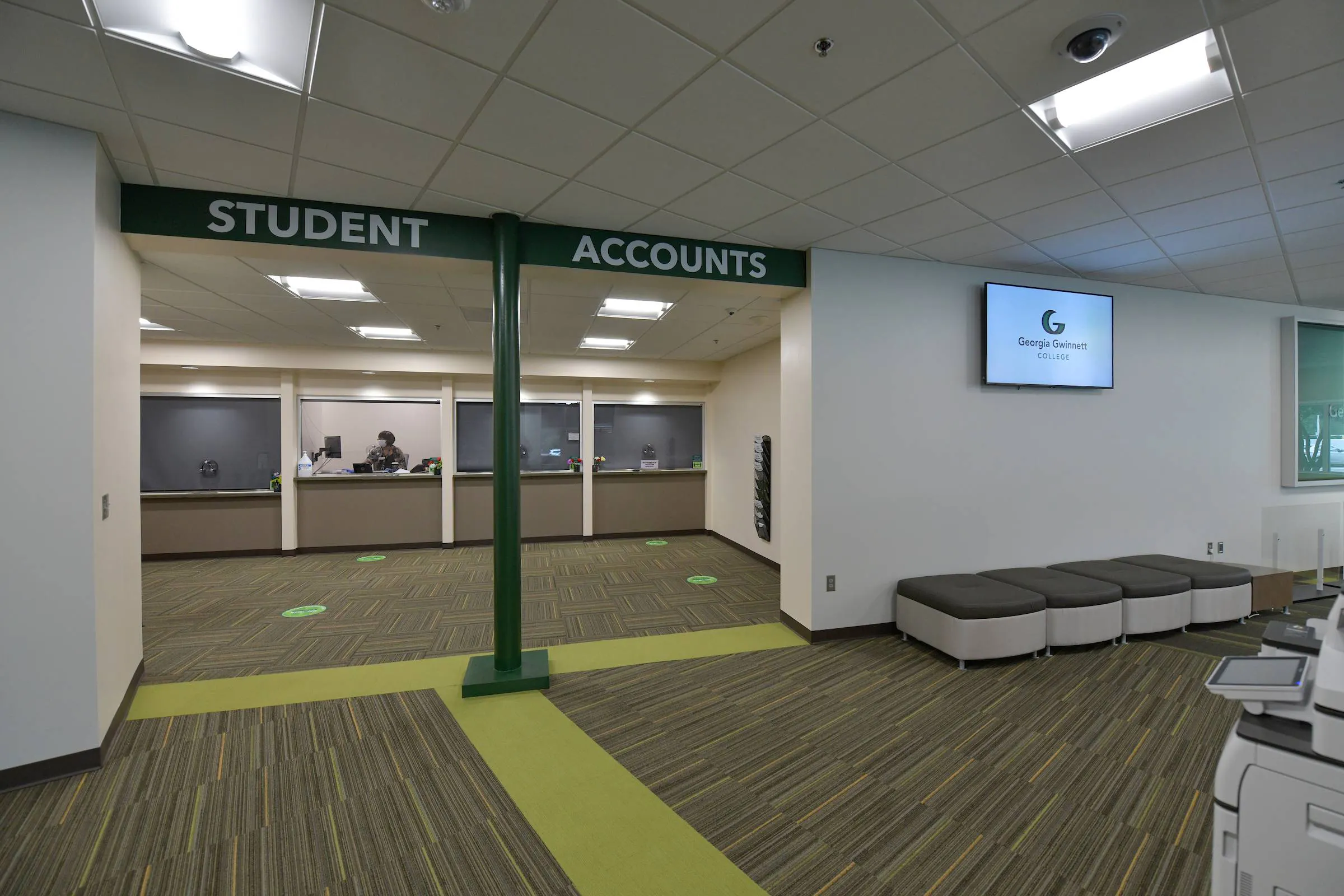
student accounts office in Building D
  1. Pay online through Grizzly Den within Banner
  2. Pay in-person to Student Accounts in Building D with a money order or check
  3. Drop off money order or check in the drop box outside of Building D
  4. Enroll in the Nelnet Payment Plan - this provides the opportunity to stretch payments over a period of months
  5. Mail money order or check payment to:

Georgia Gwinnett College

PO Box 931992

Atlanta, GA 31193-1992